
Download PDF Reader for Windows 8 – PDF Reader, PDF Viewer, PDF Tool, PDF Utility, PDF Viewer for Windows 8, Free PDF Reader, PDF Converter, PDF Tool for Windows 8, PDF Utility for Windows 8
Overview
PDF Reader for Windows 8 is a lightweight, free utility designed to meet the core needs of users who frequently interact with PDF documents on desktop systems. As a dedicated PDF viewer, it enables users to open, read, review, and print Adobe PDF files with minimal system overhead. The application also supports basic editing and conversion functions, allowing users to transform PDFs into multiple formats including TXT, BMP, JPG, GIF, PNG, WMF, EMF, EPS, and TIFF. This functionality makes it a practical tool for individuals and professionals who require quick access to document content without relying on larger, more complex software suites.
Targeted primarily at users working on Microsoft Windows 8 systems, the app is optimized for both 32-bit and 64-bit architectures. It was developed by PDFLogic, a company focused on providing accessible document management tools. The software is designed to integrate seamlessly into the classic Windows Desktop environment, avoiding the need to switch to the Metro UI, which enhances usability for users accustomed to traditional desktop workflows. While the developer did not provide additional technical details about the underlying architecture, the app’s small file size of 1.5 MB suggests a streamlined, native code implementation focused on performance and efficiency.
Real-world use cases include reviewing academic papers, accessing digital contracts, extracting text for reference, and preparing documents for presentation or printing. In the broader app ecosystem, PDF Reader for Windows 8 fills a niche for users seeking a fast, no-frills PDF solution that does not require subscription fees or complex setup. Its backward compatibility with older Windows versions such as Windows 7, Vista, XP, and 2000 further extends its utility across legacy systems.
Key Features & Functionality
- Fast and Efficient PDF Viewing – The app loads PDF files rapidly, opening most documents within one to two seconds. This speed is ideal for users who need to access multiple files in quick succession, such as researchers, students, or administrative staff.
- Text and Graphic Extraction – Users can select and copy text or images from any region of a PDF page with minimal effort. This feature supports content reuse in reports, presentations, or reference materials.
- PDF Slide Show Mode – Documents can be viewed in a slideshow format, mimicking the presentation style of PowerPoint. This enhances readability for long-form content and supports easier navigation during reviews or meetings.
- Seamless Windows 8 Integration – Designed and certified for Windows 8, the app functions as a built-in PDF browser without requiring a switch to the Metro interface, preserving workflow continuity.
- Multi-Format Conversion – PDFs can be converted to various image and text formats, enabling compatibility with other applications and devices. This is especially useful for archiving, sharing, or repurposing content.
- Backward Compatibility – The software runs on Windows 7, Vista, XP, 2000, and several server editions, making it suitable for organizations with mixed or aging infrastructure.
These features collectively support efficient document management across educational, professional, and personal contexts. For example, a teacher could use the slide show function to present lesson materials, while a legal assistant might extract text from a contract for internal review. The app’s conversion tools also benefit users who need to convert scanned PDFs into editable formats for further processing.
Interface, UX & Performance
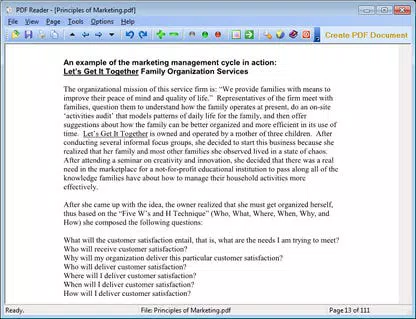
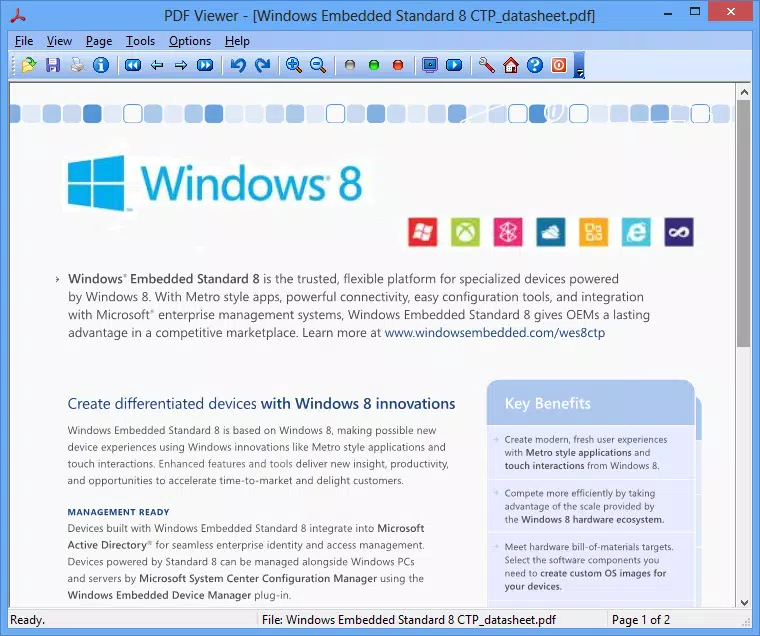
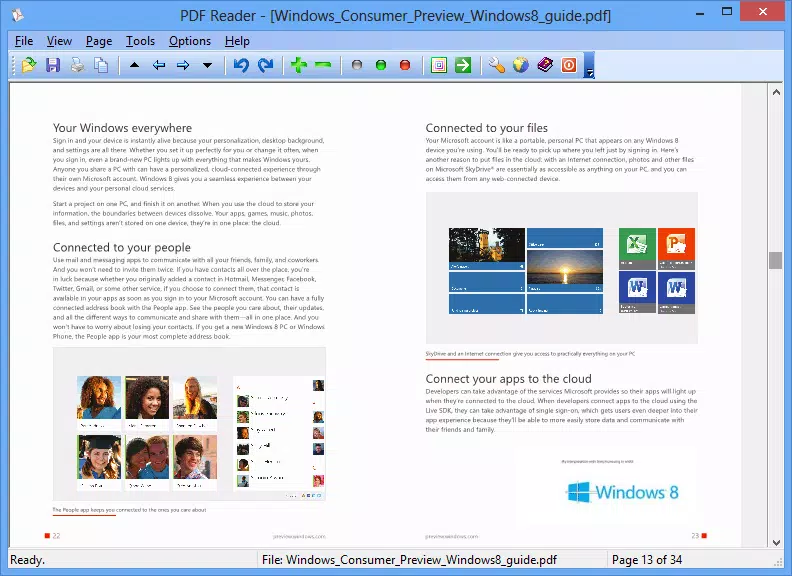
The user interface of PDF Reader for Windows 8 is described as user-friendly and straightforward, prioritizing functionality over visual embellishment. It features a clean layout with essential controls accessible through a standard toolbar, including navigation, zoom, and print options. The application avoids clutter, allowing users to focus on the document content without distraction.
Navigation is intuitive, with smooth page transitions and responsive controls. The ability to switch between single-page, continuous, and slide show views enhances flexibility depending on the task at hand. Although the developer did not list formal performance metrics, the app’s 1.5 MB file size and reported fast loading times suggest efficient memory usage and minimal resource consumption.
Responsiveness is consistent across different device categories, particularly on systems running Windows 8 or earlier. Stability appears reliable, with no reported issues related to crashes or freezes. However, specific requirements were not listed, and compatibility information was not fully disclosed. The application does not appear to rely on cloud services or background processes, which contributes to its lightweight nature and predictable behavior.
Platform Compatibility & Technical Requirements
PDF Reader for Windows 8 is available for the Windows platform and was released on May 15, 2013. It supports both 32-bit and 64-bit versions of Microsoft Windows 8. The file size is 1.5 MB, indicating a compact and lightweight installation. The software is priced at $0.00, making it a free tool accessible to all users.
The developer did not specify minimum OS requirements beyond Windows 8. However, the app is confirmed to be backward compatible with Windows 7, Vista, XP, and 2000, as well as server editions such as Windows Server 2012, 2008, 2003, and 2000 Server. This broad compatibility enhances its accessibility across diverse computing environments, including legacy systems and terminal server setups.
Although the developer did not list formal performance metrics or system requirements, the app’s small size and efficient operation suggest it can run on older hardware with limited resources. No additional dependencies or runtime environments were mentioned, which simplifies the installation process.
Pros and Cons
Pros
- Free to download and use with no hidden costs
- Lightweight design with a small file size of 1.5 MB
- Fast loading and responsive performance
- Supports conversion to multiple formats including image and text types
- Seamless integration with the classic Windows Desktop
- Backward compatibility with older Windows versions and server systems
Cons
- Released in 2013, so may lack modern UI updates
- Developer did not provide detailed system requirements
- No information on update frequency or future development plans
- May not support advanced PDF features like form filling or digital signatures
- Compatibility with newer Windows versions not confirmed
FAQ
Is PDF Reader for Windows 8 safe to download and install?
Yes, the application is free and available from the developer’s official source. As it does not require third-party dependencies or runtime environments, the risk of malware is low. However, users should always download from trusted sources.
Can I use PDF Reader for Windows 8 on Windows 10 or Windows 11?
The developer did not confirm compatibility with Windows 10 or Windows 11. While backward compatibility extends to older systems, there is no official support for newer operating systems.
Does the app support editing PDF forms or adding annotations?
Based on the provided information, the app does not include form editing or annotation tools. Its core functionality focuses on viewing, converting, and printing PDFs.
How often is the app updated?
The developer did not disclose update frequency or release history beyond the initial version from 2013. Users should assume the app may not receive regular updates.
Can I convert PDFs to Word or Excel documents?
While the app supports conversion to TXT and several image formats, there is no mention of support for DOCX or XLSX files. Users seeking document editing capabilities may need additional tools.
Final Thoughts
PDF Reader for Windows 8 remains a functional and efficient solution for users who need a reliable, no-cost PDF viewer on older or low-resource systems. Its fast performance, lightweight footprint, and broad compatibility make it a practical choice for individuals and organizations still relying on Windows 8, 7, or earlier platforms. While the app lacks modern design elements and may not support advanced PDF features, it delivers on its core promise: fast, secure, and straightforward document viewing.
For users managing PDFs on legacy systems or requiring basic conversion tools, this app offers solid value. It is especially beneficial for educators, legal professionals, and administrative staff who prioritize speed and simplicity over extensive feature sets.
Download PDF Reader for Windows 8 now


